
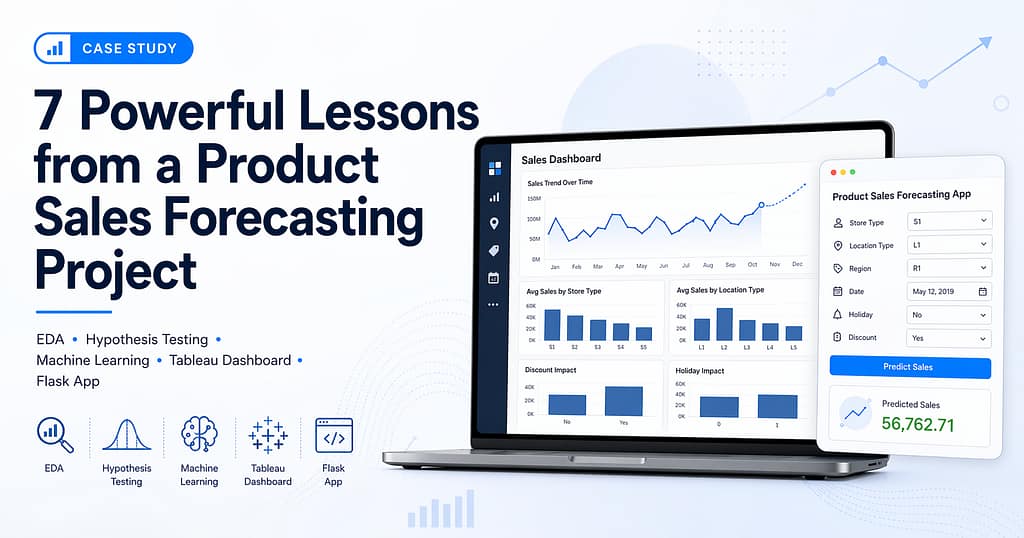
From EDA to Machine Learning, Tableau Dashboard, and Flask App
This product sales forecasting project was built as an end-to-end data science portfolio project.
The goal was not only to train a machine learning model, but to complete the full workflow from
business understanding to analysis, modeling, visualization, and deployment.
I chose this project because it felt close to a real retail business problem. Sales forecasting is
not just an academic exercise. In a retail setting, better sales forecasts can directly support
inventory planning, staffing, promotion decisions, budgeting, and supply chain planning.
The main question I tried to answer was simple: can we predict product sales using store, location,
region, discount, holiday, and calendar-based information?
This product sales forecasting project focuses on practical retail decision-making, not just model training.
This project is part of my broader data science portfolio. You can also explore more projects on my
portfolio page.

Table of Contents
- Why sales forecasting matters
- Dataset overview
- Data cleaning and preparation
- Exploratory data analysis
- Hypothesis testing
- Feature selection decisions
- Machine learning modeling
- Model evaluation
- Model interpretation
- Tableau dashboard
- Flask deployment
- Business recommendations
- Limitations and future improvements
- Project links
Why Sales Forecasting Matters
Sales forecasting is a practical problem for almost every retail business. If sales are underestimated,
the business may not keep enough inventory and customers may not get what they want. If sales are
overestimated, the business may hold too much inventory and block cash in unsold stock.
A good forecasting system can support decisions such as:
- How much inventory should be kept in each store?
- Which store types need more attention?
- Which locations are performing better?
- Do discounts actually increase sales?
- Do holidays change customer buying behavior?
- Can a trained model be used outside a notebook through a simple app?
Because of this, I treated this product sales forecasting project like a complete business case.
The final output includes a cleaned notebook, EDA, hypothesis testing, machine learning models,
a Tableau dashboard, and a Flask prediction app.
Dataset Overview
The project used two CSV files: a training dataset and a test dataset.
| Dataset | Rows | Columns |
|---|---|---|
| Training data | 188,340 | 10 |
| Test data | 22,265 | 8 |
The important columns in the training data were:
| Column | Meaning |
|---|---|
| ID | Unique row identifier |
| Store_id | Unique store identifier |
| Store_Type | Type or category of the store |
| Location_Type | Type of store location |
| Region_Code | Region code |
| Date | Date of sales observation |
| Holiday | Whether the date was a holiday |
| Discount | Whether discount was offered |
| #Order | Number of orders |
| Sales | Target variable to predict |
The target variable was Sales. One important point was that the test dataset did not
contain Sales, which is expected, and it also did not contain #Order.
This became important during feature selection.
Data Cleaning and Preparation
I started by checking the basic structure of the data. The training dataset had no missing values
and no duplicate rows. This made the initial cleaning stage simpler because I did not need to apply
missing value imputation or duplicate removal.
The Date column was converted into datetime format. From this date column, I created
four new time-based features:
- Year
- Month
- Day
- DayOfWeek
The Discount column originally had values like Yes and No.
I converted it into a binary feature:
- Yes = 1
- No = 0
I also converted categorical fields into numeric columns using one-hot encoding. The encoded fields were:
- Store_Type
- Location_Type
- Region_Code
This gave the model a clean numeric feature set. At this stage, the data was ready for EDA,
hypothesis testing, and machine learning modeling.

Exploratory Data Analysis
Exploratory data analysis helped me understand the business behavior before building the model.
I focused on patterns that could explain sales variation and support business recommendations.
Sales Trend Over Time
The sales trend was not flat. There were visible changes over time, which confirmed that calendar-based
features could be useful. In Tableau, I used a weekly sales trend because daily values were too noisy
and monthly values were too compressed for the dashboard.
Average Sales by Store Type
Store type showed a clear difference in average sales.
| Store Type | Average Sales |
|---|---|
| S4 | 59,945.69 |
| S3 | 47,063.07 |
| S1 | 37,676.51 |
| S2 | 27,530.83 |
Store type S4 had the highest average sales, while S2 had the lowest. This suggests that the store
format or category has a strong relationship with sales performance.
Average Sales by Location Type
Location type also showed a strong relationship with sales.
| Location Type | Average Sales |
|---|---|
| L2 | 59,231.48 |
| L1 | 41,453.60 |
| L3 | 33,072.26 |
| L4 | 29,067.41 |
| L5 | 25,187.79 |
Location type L2 had the highest average sales. This was one of the strongest business insights
in the analysis because it shows that location category is not just descriptive. It is predictive.
Discount Impact
Discounted days had higher average sales than non-discounted days.
| Discount | Average Sales |
|---|---|
| No | 37,403.68 |
| Yes | 49,426.50 |
This shows that discounts are associated with higher sales. However, I would not treat this as
proof that discounts always improve profit. For that, margin data would be needed.
Holiday Impact
In this dataset, non-holiday days had higher average sales than holiday days.
| Holiday | Average Sales |
|---|---|
| 0 | 43,897.29 |
| 1 | 35,451.88 |
This was an interesting finding. It does not mean holidays always reduce sales. It means that in this
dataset, average sales were lower on holiday-marked days. Possible reasons could include store closures,
reduced working hours, or different customer behavior.
Orders and Sales
The relationship between #Order and Sales was very strong. The Pearson
correlation was approximately 0.9416. This makes business sense because more orders usually lead
to higher sales.
However, I did not use #Order in the final model because it was not available in the
test dataset.

Hypothesis Testing
EDA gave visual evidence, but I also wanted to statistically validate the main business assumptions.
I tested five hypotheses.
Hypothesis 1: Discounts Impact Sales
I compared sales on discount days and non-discount days using a t-test. The p-value was 0.0, so I
rejected the null hypothesis. Discounts have a statistically significant relationship with sales.
Hypothesis 2: Holidays Impact Sales
I compared sales on holiday and non-holiday days using a t-test. The p-value was 0.0, so I rejected
the null hypothesis. Holidays have a statistically significant relationship with sales.
Hypothesis 3: Store Type Impacts Sales
I used ANOVA to compare average sales across store types. The p-value was 0.0, so I rejected the
null hypothesis. Average sales differ significantly across store types.
Hypothesis 4: Location Type Impacts Sales
I used ANOVA to compare average sales across location types. The p-value was 0.0, so I rejected the
null hypothesis. Average sales differ significantly across location types.
Hypothesis 5: Number of Orders Is Correlated With Sales
I used Pearson correlation to test the relationship between number of orders and sales. The correlation
coefficient was 0.9416 and the p-value was 0.0. This confirmed a strong positive and statistically
significant relationship.

Feature Selection Decisions
One of the most important decisions in this project was excluding #Order from the final model.
Initially, I was tempted to use #Order because it had a very strong correlation with sales.
But after checking the test dataset, I saw that #Order was not available there. If I used
it during training, the final model would not work properly during prediction or deployment.
So I excluded:
Sales, because it is the target variableDate, because I used extracted date features instead#Order, because it was unavailable during prediction
The final model used 17 features. This made the model more realistic and deployable.
For this product sales forecasting project, I kept the modeling approach realistic by using only the fields available during prediction.
Machine Learning Modeling
I trained and compared three regression models:
- Linear Regression
- Random Forest Regressor
- Gradient Boosting Regressor
Since this is a forecasting problem, I used a chronological split instead of a random split. This means
the model was trained on earlier records and validated on later records.
This choice made the evaluation stricter. A random split can mix past and future records, which may make
the model look better than it really is. A chronological split better simulates the real-world situation
where we use past data to predict future sales.
Model Evaluation
The models were evaluated using MAE, RMSE, and R² score.
| Model | MAE | RMSE | R² Score |
|---|---|---|---|
| Gradient Boosting | 8,577.30 | 12,818.88 | 0.5816 |
| Linear Regression | 9,372.83 | 13,738.53 | 0.5194 |
| Random Forest | 9,301.00 | 13,837.84 | 0.5124 |
Gradient Boosting gave the lowest RMSE and the best R² score among the three models. I selected it as
the final model.
After selecting the best model, I retrained it on the full training dataset and generated predictions
for the test dataset. The prediction output was saved as product_sales_predictions.csv.
The trained model was saved as best_sales_model.pkl.

Model Interpretation
Model interpretation was important because I did not want the project to end with only a prediction score.
I wanted to understand which factors the model used most.
The top five important features were:
| Rank | Feature | Importance |
|---|---|---|
| 1 | Location_Type_L2 | 0.2357 |
| 2 | Store_Type_S4 | 0.2161 |
| 3 | Discount | 0.1481 |
| 4 | Store_id | 0.0653 |
| 5 | DayOfWeek | 0.0627 |
This matched the EDA findings. Location type, store type, and discount were important in the charts,
and the model also treated them as major predictors.
The residual plot showed that errors were mostly centered around zero, but the spread increased for
higher predicted sales values. This means the model is useful, but high-sales cases still have more
uncertainty.

Tableau Dashboard
I created a Tableau Public dashboard to make the insights easier to understand visually. This dashboard
is useful for non-technical stakeholders because they can quickly see the main patterns without going
through the full notebook.
The dashboard includes:
- Sales trend over time
- Average sales by store type
- Average sales by location type
- Discount impact on sales
- Holiday impact on sales
Tableau Public dashboard:
Product Sales Forecasting Dashboard
Flask Deployment
I also built a simple Flask app to make the model usable outside the notebook. The Flask app was
intentionally kept simple because the goal was to prove that the trained model could accept inputs
and return a sales prediction through a web interface.
The app accepts:
- Store ID
- Holiday
- Discount
- Year
- Month
- Day
- Day of week
- Store type
- Location type
- Region code
It converts these inputs into the same feature format used during training and returns a predicted sales value.
The deployment files include:
app.pytemplates/index.htmlrequirements.txtbest_sales_model.pkl

Business Recommendations
1. Study why S4 stores perform better
S4 stores had the highest average sales. The business should study what makes this store type perform
better and see whether those practices can be applied to lower-performing store types.
2. Prioritize strong location types
Location type L2 had the highest average sales. This should influence store planning, inventory allocation,
and expansion strategy.
3. Use discounts carefully
Discounts were linked with higher average sales. However, sales and profit are not the same. The next step
should be to combine this analysis with margin data to understand whether discounts are truly profitable.
4. Recheck holiday strategy
Holiday-marked days had lower average sales in this dataset. The business should check whether stores were
closed, had reduced operating hours, or had weaker holiday campaigns.
5. Improve the forecasting model with lag features
The current model uses available structured features. It can be improved by adding lag features, rolling
averages, and previous-period sales trends.
Limitations and Future Improvements
This project has some limitations:
#Orderwas not used in the final model because it was not available in the test dataset.- The model used a chronological split, but not full time-series cross-validation.
- I did not use advanced models such as XGBoost, LightGBM, Prophet, or SARIMA.
- The model does not include external factors such as weather, local events, competition, or pricing.
- Prediction errors increased for higher sales values.
These limitations do not make the project invalid. They define the next improvement path.
In a future version, I would improve this project by adding:
- Lag features
- Rolling average sales
- Time-series cross-validation
- XGBoost or LightGBM
- Store-level historical sales aggregates
- Margin and profit data
- External data such as festivals, weather, or local events
- Permanent deployment on Render, Railway, or another hosting platform
Overall, this product sales forecasting project connects business understanding, statistical validation, machine learning, dashboarding, and deployment.
Conclusion
This product sales forecasting project helped me build a full data science workflow from raw data to
a usable prediction app.
I cleaned and prepared the data, explored sales behavior, tested business hypotheses, trained multiple
regression models, selected Gradient Boosting as the final model, created a Tableau dashboard, and built
a Flask app for prediction.
The most important business insight is that sales are strongly influenced by location type, store type,
discount activity, and time-based patterns.
This project is useful as a portfolio project because it combines business understanding, statistical
testing, machine learning, dashboarding, and deployment in one end-to-end workflow.
Demo Video
The following demo video walks through the GitHub repository, notebook, EDA, hypothesis testing,
model evaluation, Tableau dashboard, Flask app, and final project links.
Project Links
- GitHub Repository:
Product Sales Forecasting GitHub Repository - Tableau Public Dashboard:
Product Sales Forecasting Dashboard - Demo Video:
Product Sales Forecasting Demo Video