
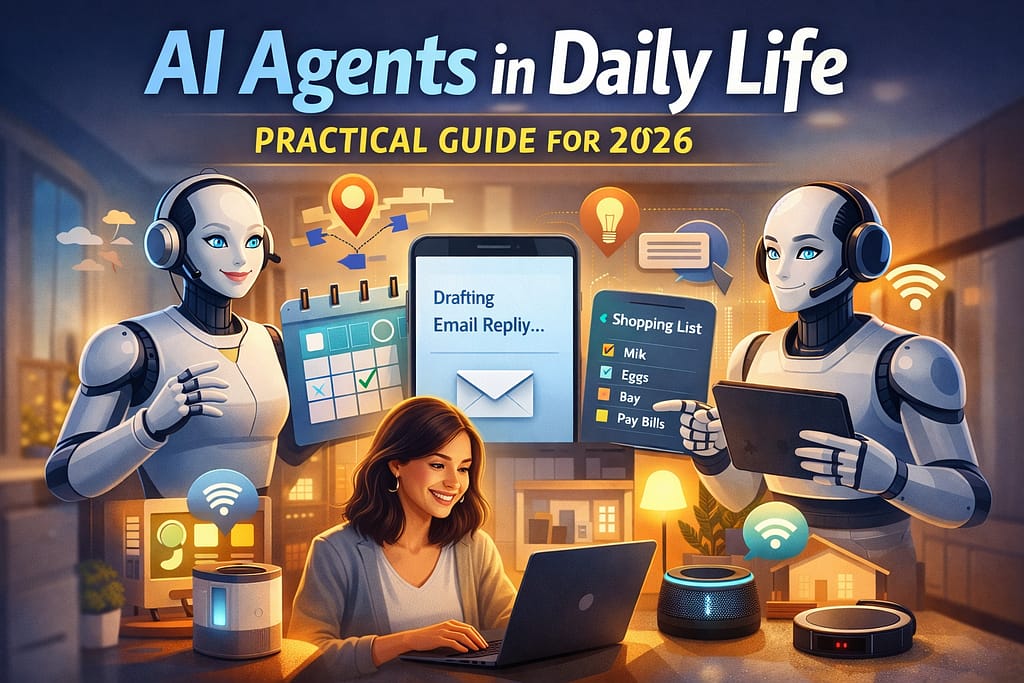
AI Agents in Daily Life: Practical Workflows You Can Trust in 2026
AI agents in daily life work best when they run small, repeatable workflows with clear stop rules and a human review step.
If you are building with GenAI, the real win is not “more automation.” The win is fewer dropped tasks, fewer missed follow-ups, and fewer context switches during a busy day.
Table of Contents
- What Counts as an AI Agent in Daily Life
- Where AI Agents in Daily Life Actually Help
- A safe workflow pattern you can reuse
- 7 practical use cases for 2026
- Tooling: no-code, low-code, and custom
- Guardrails: safety, privacy, and reliability
- FAQ
- Conclusion
What Counts as an AI Agent in Daily Life
An “agent” is not just a chat window that answers questions. In practice, an agent is a system that can follow steps, call tools, and produce a usable result with a clear goal.
That goal matters. When the goal is fuzzy, the agent becomes unpredictable and hard to trust.
Agent vs. chatbot (simple distinction)
A chatbot responds. An agent completes a small job. The difference is tool use and workflow discipline.
For example, “summarize this email” is a chatbot task. “Summarize the email, draft a reply, propose times, and save a task” is an agent workflow.
What “daily life” means here
This guide is for builders and technical users who want agents for personal operations: email, scheduling, notes, task lists, research, and light content creation.
If you are building business-grade systems, start with the architecture patterns in context-aware AI for business.
Where AI Agents in Daily Life Actually Help
AI agents in daily life are most valuable in the boring middle. Inbox triage, repeat scheduling, reminders, and structured notes are the best early wins.
These tasks are frequent, measurable, and easy to test. That makes reliability realistic.
Good candidates share three traits
- Repeated: you do it many times per week
- Rule-based: there is a checklist or template
- Reviewable: you can approve the output fast
Bad candidates (for now)
High-stakes decisions, anything that moves money automatically, and anything that requires deep judgment without clear rules.
You can still use agents here, but only in “draft-first” mode.
A safe workflow pattern you can reuse
If you want AI agents in daily life that stay dependable, use the same pattern across tasks.
Trigger, retrieve context, draft output, validate structure, then ask for approval before any external action.
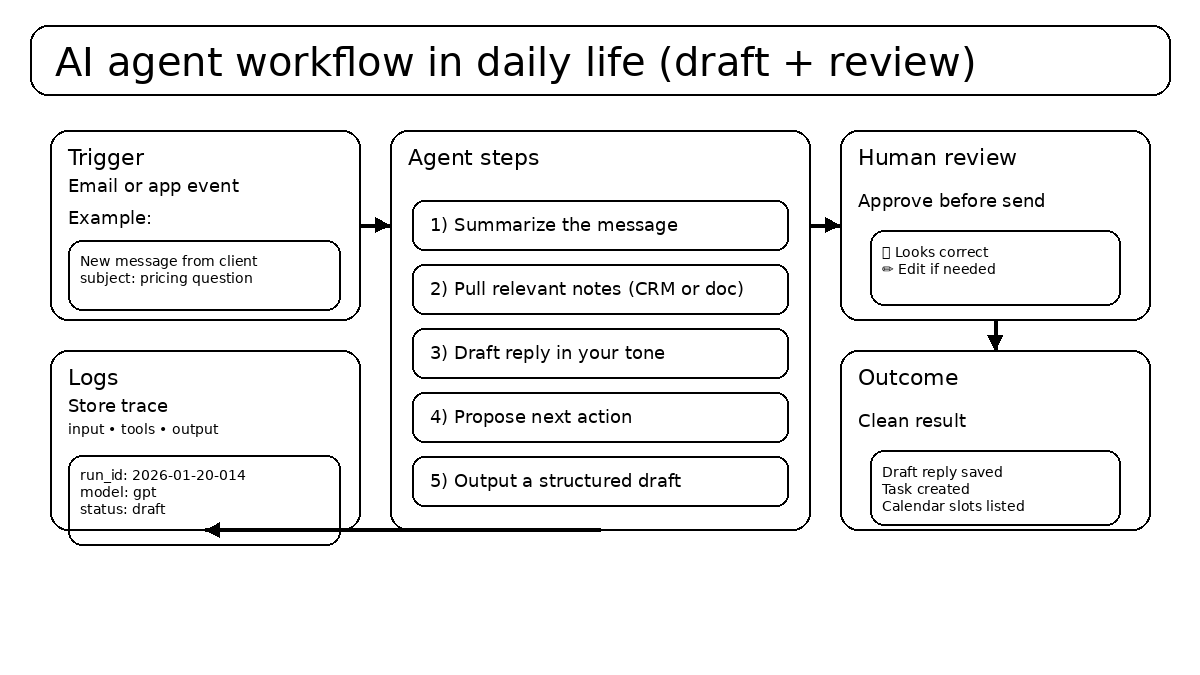
Use structured outputs so automation stays safe
Free-form text is fragile. If your agent output feeds another step, ask for a strict format.
This reduces silent errors and makes debugging much easier.
{
  "task_type": "reply_draft | schedule | research | notes",
  "summary": "string",
  "next_actions": ["string", "string"],
  "draft": "string",
  "confidence": "low | medium | high",
  "needs_human_approval": true
}
If the output does not validate, the agent should stop or ask a clarifying question. That is a feature, not a failure.
7 Practical Use Cases for AI Agents in Daily Life (2026)
These are not “AI demos.” These are workflows I’ve seen hold up because the scope stays tight and the output is reviewable.
Pick one. Run it for a week. Then expand.
1) Inbox triage agent (draft-first)
Goal: reduce time spent deciding what matters. The agent labels emails, summarizes the top ones, and drafts replies for the few that need a response.
Best rule: the agent never sends. It only drafts and queues.
2) Calendar coordinator (propose, do not book)
Goal: stop the back-and-forth. The agent checks availability and proposes three clean slots with time zone handling.
Approval step: you confirm the slots before anything gets scheduled.
3) Meeting notes agent (structured capture)
Goal: turn rough notes into usable actions. The agent outputs decisions, risks, and action items with owners.
This pairs well with data discipline, which is why many readers follow it with material in the Data Science category.
4) Personal research assistant (bounded scope)
Goal: gather references, compare options, and produce a short briefing. The agent should cite sources and clearly mark uncertainty.
For agent tool patterns, the OpenAI Agents SDK documentation is a practical reference: OpenAI Agents SDK.
5) “Weekly review” agent (checklist + recap)
Goal: reduce mental load. The agent reviews your task list, notes, and calendar, then drafts a weekly summary and a next-week plan.
This works well when you use the same headings every time.
6) Light content repurposing (safe templates)
Goal: reuse what you already wrote. The agent turns one post into hooks, a short outline, and a 30–60 second script.
Keep the format strict and your claims grounded. If you publish GenAI-focused posts, your GenAI category hub is a natural internal link path.
7) Admin assistant for repeat life tasks
Goal: reduce small annoyances. The agent drafts recurring messages, prepares forms, and builds checklists for tasks like travel prep or renewals.
It sounds basic, but basic is where reliability is easiest to earn.
Tooling: no-code, low-code, and custom
Your stack should match your tolerance for maintenance. For most technical users, low-code is the best balance.
What matters is not the tool list. What matters is that you can enforce structure, logs, and approvals.
| Approach | Best for | Strength | Trade-off |
|---|---|---|---|
| No-code | Simple triggers and drafts | Fast setup | Harder to add validation |
| Low-code | Most personal ops workflows | Good control without heavy engineering | Some ongoing maintenance |
| Custom | Complex state and deeper tooling | Maximum reliability and tracing | More build time |
If you want more patterns and examples, browse the AI category for related guides.
Guardrails: safety, privacy, and reliability
AI agents in daily life stay useful when you treat guardrails as part of the system design. Without guardrails, you are running a demo, not a workflow.
These are the guardrails I recommend as defaults.
Guardrail 1: separate drafting from sending
Drafting is low risk. Sending is high risk. Keep them separate.
If you want automation, automate the draft. Then approve.
Guardrail 2: limit tools and permissions
Give the agent a small toolbox. Avoid broad access like “read all files” or “modify anything.”
Small scope makes debugging possible and mistakes survivable.
Guardrail 3: store logs by default
Store inputs, tool calls, and outputs. When something feels off, logs tell you why.
Without logs, you will waste time guessing.
Guardrail 4: data minimization
Only provide the information needed for the current task. This reduces privacy risk and improves relevance.
If a workflow needs sensitive data, consider redaction and strict tool boundaries.
FAQ
Are AI agents in daily life worth it for technical users?
Yes, if you focus on one measurable workflow and keep the agent draft-first at the start.
What is the safest first agent to build?
Inbox triage that drafts replies and creates tasks, with human approval before sending anything.
How do I reduce made-up details?
Use retrieval from your own notes, constrain outputs to a strict format, and require approval for external actions.
Should I run one “big agent” or multiple small ones?
Multiple small agents are easier to test and maintain. One big agent becomes hard to reason about as it grows.
Conclusion
AI agents in daily life are most useful when they behave like disciplined workflows, not open-ended bots.
Start with one small agent, add structure and logs, and keep approvals where mistakes would hurt.
Explore more guides in AI, GenAI, and Data Science. For updates, Stay Connected.